EN
EN

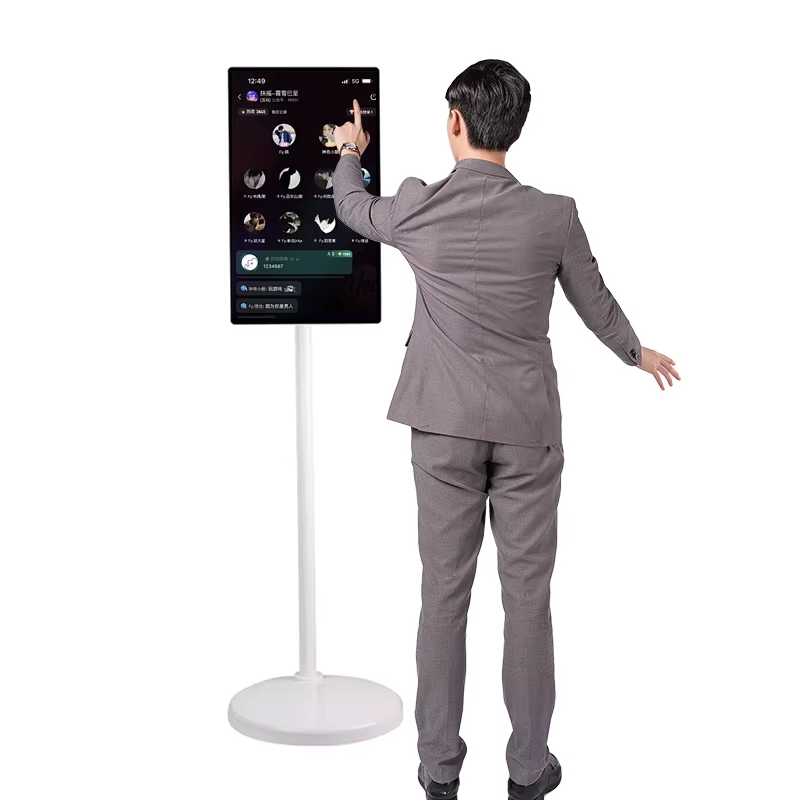
What Is a Smart TV Touch Screen and How Does It Differ from Standard Models?
Smart TV touch screens combine regular TV functions with responsive touch technology that responds to our fingers. Regular TVs need remotes or other gadgets to work, but these new screens pick up taps, swipes, and pinches through sensors built right into the glass. The difference is night and day compared to just sitting there watching something happen. People find these displays super useful for group meetings where everyone can point at stuff together, stores wanting customers to interact with products, and classrooms where students get involved rather than just listening passively. Schools have started adopting them because kids actually pay attention when they can touch what they're learning about.
Key differences include:
- Interaction: Standard TVs are remotely operated; touch models support intuitive, on-screen control without intermediaries.
- Durability: Built for high-traffic use, touch-enabled displays feature reinforced, often antimicrobial glass and brightness levels of 350–700 nits—far exceeding typical living-room TVs.
- Functionality: While conventional smart TVs focus on streaming and app-based media, touch screens enable real-time annotation, gesture-driven navigation, multi-user collaboration, and native kiosk-mode operation.
- Cost & Design: Premium pricing reflects specialized panels, enhanced processing units, and enterprise-grade build quality—not just added features.
For business deployments, this technology bridges digital signage and tactile interaction, improving information retention by up to 40% in training scenarios. Enterprise-grade units further support simultaneous multi-user touch, anti-glare coatings, and glove-touch capability—capabilities remote-centric systems simply cannot match.
Key Business Benefits of Smart TV Touch Screen Solutions
Interactive displays fundamentally shift how organizations engage customers, train staff, and manage operations. By turning viewers into active participants, touch-enabled smart TVs deliver measurable ROI across verticals—without requiring new hardware footprints or complex infrastructure overhauls.
Enhanced Customer Engagement in Retail and Hospitality
Smart TV touch screens installed in hotel lobbies, retail outlets, and fast food places actually make people feel like they're waiting less time, cutting down perceived wait periods around 40%. These screens let customers browse stuff themselves, customize menus, and look at products without needing someone else to help them out. The bonus for businesses? Less stress on front line staff who would otherwise be handling all these requests manually. Plus, companies get valuable data about what customers do when they interact with these screens. We see things like which items tend to go together or how long folks spend looking at different categories. For restaurants specifically, those touch screens with built in suggestions for extra items can boost average orders by about 22%. Just having an easy to use interface makes a real difference in getting customers to spend more money than they originally planned.
Streamlined Digital Signage and Interactive Kiosks
Touch screens designed for commercial use bring together signage, directions, and payment systems all in one box, which cuts down on equipment expenses maybe around 30% give or take. The multi-touch feature really opens things up for teamwork situations. Imagine two people looking at a building layout together while standing at a conference table, or several kids working on the same science project drawing over the same image at once. Companies also get remote control over what gets displayed through special software platforms. This means updates happen fast and securely even when locations are spread out across town or country, so no need to send someone running around making changes manually. For businesses putting these screens up where anyone might interact with them, the higher end versions come with protection against vandalism, data encryption built right in, and different permission levels for who can do what. These security features matter a lot when something needs to stay online without interruption day after day.
Integration Considerations for B2B Deployments
Compatibility with Existing AV and IoT Ecosystems
Getting these systems up and running successfully depends heavily on how well everything works together from the start, not trying to patch things later. Look for touch screen smart TVs that come with built-in support for standard protocols across the board. Things like HDMI-CEC for controlling audio visual equipment as one unit, MQTT or RESTful APIs when connecting to internet of things devices, plus support for digital signage standards such as SMPTE ST 2110 or those based on HTML5 CMS frameworks. Before buying anything though, check if the TV will work with what's already in place. That means testing against current content management systems, video conferencing setups like Zoom Rooms or Microsoft Teams Rooms, and whatever backend systems might be running, whether they handle inventory tracking or medical records. Steer clear of any solution that needs custom software bridges unless there's someone on staff who can actually build them. Good quality enterprise TVs should just plug into popular platforms without needing extra coding.
Security, Management, and Remote Firmware Updates
Security for public facing touch screens needs to be enterprise level stuff, not what comes standard on consumer devices. The hardware itself should have solid protection built in. Look for TPM 2.0 chips that handle secure boot processes and encryption for data transmission. Also important is multi factor authentication when someone wants admin access. Management systems need certain capabilities too. They should let IT folks configure multiple devices at once, set location based restrictions, and watch system health in real time. Anomaly detection matters a lot here since strange touch behavior might indicate someone messing with the device. Firmware updates should happen automatically outside business hours so they don't disrupt operations. This helps meet those industry standards like HIPAA requirements in hospitals or PCI DSS rules for stores handling credit card info. And always keep detailed logs just in case something goes wrong later on.
Selecting the Right Smart TV Touch Screen for Your Industry
Healthcare, Education, and Corporate Use Case Priorities
Industry-specific workflows dictate technical requirements—not just screen size or resolution. A one-size-fits-all approach risks security gaps, workflow friction, or premature obsolescence.
| Priority | Healthcare | Education | Corporate |
|---|---|---|---|
| Touch Tech | High-sensitivity capacitive | Infrared (20-point multi-touch) | Capacitive (precision) |
| Durability | High-grade antimicrobial glass | Scratch-resistant surfaces | Glare reduction |
| Integration | EHR platforms | LMS compatibility | Unified communications systems |
When it comes to healthcare displays, HIPAA compliance isn't just something nice to have anymore it's basically non-negotiable. The screens need to keep data encrypted both when moving around networks and when stored locally. They also have to handle secure login processes for electronic health records, plus they must survive constant cleaning with hospital-grade disinfectants without losing their responsiveness over time. And let's not forget glove touch capability since medical staff often work with gloves on during procedures. For schools and universities, big screen displays measuring 65 inches or larger are becoming standard equipment. These panels respond almost instantly to touch inputs which makes them great for group activities and taking notes with digital styluses. What really matters though is how well they connect with learning management systems so teachers can easily share materials across different classroom devices. Businesses meanwhile look for displays that just work right out of the box with their current video conferencing setups. High quality presentations remain important too, especially with features like wireless screen sharing and the ability to annotate from two different input sources simultaneously during meetings.
Avoid consumer-grade models entirely. They lack centralized management, enterprise security protocols, and the thermal and mechanical resilience needed for 12+ hour daily operation in commercial environments.
Frequently Asked Questions
What is a smart TV touch screen?
A smart TV touch screen integrates the functionality of a standard smart TV with touch-responsive technology, allowing users to control and interact directly with the screen using their fingers.
How does it differ from conventional smart TVs?
Unlike conventional models, smart TV touch screens allow direct manipulation through gesture-driven navigation and multi-user collaboration without the need for external control devices.
What are the key benefits of smart TV touch screens for businesses?
Smart TV touch screens enhance customer engagement, streamline digital signage and interactive kiosks, and offer compatibility with existing AV and IoT ecosystems, while providing high-security standards and centralized management capabilities.
Are smart TV touch screens suitable for all industries?
While they offer benefits across several sectors like healthcare, education, and corporate environments, their compatibility with specific workflows and existing systems should be evaluated to ensure optimal deployment.