EN
EN

How Touch Technology Powers the Smart TV Touch Screen Experience
Capacitive vs. Infrared vs. Optical: Accuracy, Latency, and Durability for Home Use
The type of touchscreen tech makes all the difference when it comes to smart TVs. There are basically three main options out there these days: capacitive, infrared, and optical systems, each with their own strengths and weaknesses for living room setups. Capacitive touchscreens, which we see on almost every smartphone and tablet nowadays, offer really sharp accuracy with almost no lag at all. They work great for those fancy finger swipes and pinches, but they do need bare skin contact and the glass tends to get scratched up pretty easily over time. Then there's infrared tech that uses little LED lights around the edges to sense where someone touches. These work with gloves on or even a stylus, plus they can take quite a beating without breaking down. Sure, they're not as pinpoint accurate as capacitive screens (about 2mm off sometimes) and there's a tiny bit more delay (around 15-20 milliseconds), but for busy households with kids running around, this durability factor matters a lot. Optical sensors rely on cameras to track movements and deliver amazing precision, though they struggle with bright lights or anything blocking the view. Most people find capacitive still works best overall for regular home use because it feels so responsive, while infrared becomes the go-to choice when toughness trumps everything else.
Panel Integration and Real-World Responsiveness: Insights from DisplayMate 2023 Benchmarks
How well touch sensors work together with display panels makes all the difference in how smart TVs actually perform with touch screens. According to DisplayMate tests from last year, those bonded capacitive screens where the touch layer sits right on top of the display managed to get response times below 8 milliseconds without any parallax issues at all. Things get trickier with infrared systems though. These often had delays ranging between 12 and 18 milliseconds when the touch points didn't line up perfectly with what was showing on screen, which led to that annoying cursor drifting effect. And optical solutions? They can lag as much as 25 milliseconds in brightly lit environments because of interference problems with infrared signals. Displays lacking good optical bonding tend to suffer from what's called 'touch swimming' where fingers seem to move around independently from what appears on the screen. The best models come straight from the factory with their touch alignment already calibrated properly, maintaining about 99 percent accuracy for gestures even when someone is zooming or swiping quickly across the interface. This shows us that careful engineering matters more than just having the latest tech specs if we want smooth interactions.
Smart TV Touch Screen Features That Enable Seamless Interactivity
Multi-Touch Gestures and Voice-Aware OS Integration in Android TV 13 and webOS 24
The touch screens on modern smart TVs completely change how we navigate around them thanks to capacitive multi-touch tech that handles over ten inputs at once. People use all sorts of handy gestures these days like pinching to zoom in on maps or doing those four finger swipes to jump between different user profiles. Just hold down anywhere on the screen brings up context sensitive menus too. These features work really well alongside voice activated systems found in newer models running things like Android TV 13 or webOS 24 from LG. According to tests done by DisplayMate back in 2023, combining touch and voice cuts down response time to under 200 milliseconds which is pretty fast stuff. Imagine telling the TV "show me cooking videos" while also tapping on a specific chef's profile - the system understands both actions together. Families benefit especially since kids can draw all over educational shows while mom or dad just speaks up to turn down the volume without anyone fighting over who gets control next.
Cross-Device Synchronization: Bridging Phones, Tablets, and the Smart TV Touch Screen
The cross device protocols let people transfer stuff between their phones, tablets and the big touch screen in the living room really easily. Imagine walking up to the TV with your tablet nearby - suddenly the screen starts mirroring through Wi-Fi Direct. At the same time, Bluetooth Low Energy keeps track of where things were playing last. So if someone was looking at a recipe on their tablet, they can just tap once and continue watching it on the kitchen TV instead. These connected systems work great for teamwork situations too. Take group photo editing for instance, one person might hold their phone up as a color picker tool while everyone else sees the main picture on the television screen. Studies from Stanford University found that when devices sync like this, people spend about 37 percent less time fiddling with technology. That means families and friends get to focus more on actually sharing moments together rather than fighting with gadgets.
Tangible Benefits of Smart TV Touch Screens Over Traditional Models
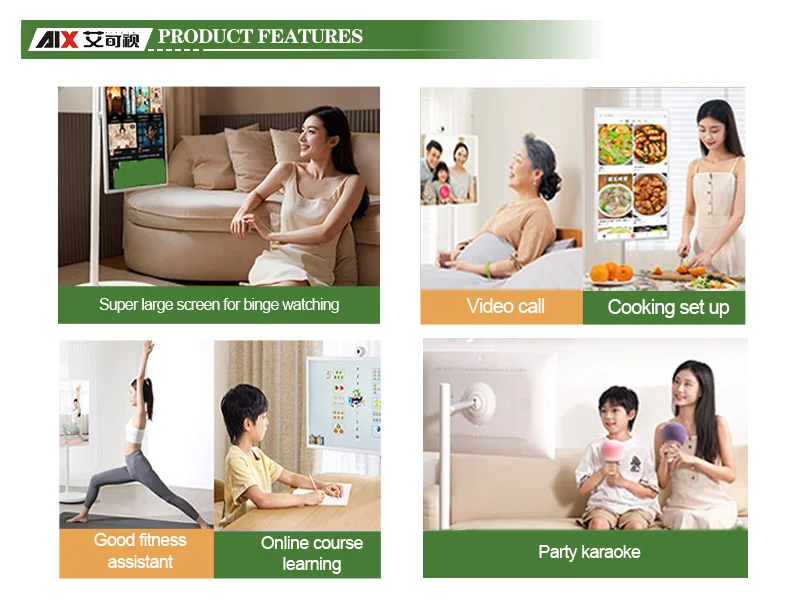
Touch screen Smart TVs are changing how people interact with their devices because they don't need remotes anymore. Users can just tap and swipe right on the screen itself to get around the menu system. This hands-on approach makes things easier for everyone in the family, especially when someone loses the remote or gets confused by all those buttons. Touch enabled models also let folks engage more deeply with content. For instance, during nature documentaries people can zoom in closer by pinching the screen, scroll through streaming options with simple finger movements, or even play games without needing extra controllers. These TVs work great with smart home systems too, so homeowners can adjust lights, check security cameras, and manage other connected gadgets straight from the television screen. Manufacturers have made the designs really sleek with thin borders and simple stands that look good in modern living rooms. The build quality is solid enough to last years even with daily touching and swiping. Compared to old fashioned TVs that just sit there showing programs, these new touch screen models do much more than entertain. They become central points for family activities but also handy tools for business meetings at home or creating presentations on digital whiteboards. That versatility makes them worth considering for households where work and leisure often overlap.
Real-World Adoption Drivers: Where Smart TV Touch Screens Deliver Unique Value
Education & Healthcare: 42% Higher Engagement with Touch-Driven Content (EdTech Digest, 2023)
Interactive displays are changing how we approach education and healthcare environments. With touch enabled interfaces, teachers can turn regular lessons into interactive experiences where students zoom in on detailed 3D anatomy models or work together on digital whiteboards. Hospitals and clinics are doing something similar too, using those big touch screen TVs to quickly pull up patient records during appointments. Doctors can actually draw right on X-ray images as they explain things to patients. According to EdTech Digest, this kind of hands on interaction leads to about a 40 something percent increase in student engagement when compared to just watching static screens. Medical professionals benefit as well since these responsive touch systems cut down on the time needed to learn new diagnostic equipment. Getting rid of extra hardware also helps keep clinical areas cleaner and safer, all while still keeping sensitive information protected through proper security measures.
From Retail Kiosks to Living Rooms: How Public-Space UX Is Reshaping Home Expectations
People get used to touching screens all day long at places like airports for check-in or restaurants where they order food from digital menus. Now they automatically reach out toward their TV screens, hoping for the same quick responses while flipping through streaming options or changing settings on smart home devices. To keep up with these habits, manufacturers have started copying what works in stores. They're adding things like swiping gestures similar to tablets and making operating systems that listen better to voice commands. When designers focus on creating forgiving interfaces in public spaces, companies apply those lessons at home too. Smart TVs now block accidental touches so viewers aren't constantly interrupted mid-show. What we see happening across different environments is pretty cool actually - touch becomes second nature rather than just another gadget gimmick.
FAQ
What are the main types of touch technology used in smart TVs?
The main types of touch technology used in smart TVs are capacitive, infrared, and optical systems. Each has its advantages and drawbacks, such as capacitive being highly accurate but requiring bare skin contact, infrared being more durable but slightly less accurate, and optical providing precise tracking but struggling with bright lighting conditions.
How do touch screens improve the interactivity of smart TVs?
Touch screens on smart TVs enhance interactivity by allowing direct interaction with the screen through gestures like pinching, swiping, and tapping. They work alongside voice-activated systems for a smoother user experience, reducing reliance on remote controls and enabling easy navigation of menus and content.
Why are smart TV touch screens becoming popular in education and healthcare?
Smart TV touch screens are gaining popularity in education and healthcare due to their interactive capabilities. In education, they allow students to engage in hands-on learning experiences, while in healthcare, they provide easy access to patient records and facilitate explanations through interactive features.
Can smart TVs synchronize with other devices?
Yes, smart TVs can synchronize with phones, tablets, and other devices using cross-device protocols like Wi-Fi Direct and Bluetooth Low Energy. This allows seamless content transfer and synchronized playback, enhancing the overall user experience by minimizing time spent on technical operations.
How do touch screens on smart TVs differ from traditional models?
Touch screen smart TVs differ from traditional models by eliminating the need for a remote control and offering a more engaging user interface. They allow users to interact directly with the screen for navigation and control, integrate with smart home systems, and support additional content engagement features.
Table of Contents
- How Touch Technology Powers the Smart TV Touch Screen Experience
- Smart TV Touch Screen Features That Enable Seamless Interactivity
- Tangible Benefits of Smart TV Touch Screens Over Traditional Models
- Real-World Adoption Drivers: Where Smart TV Touch Screens Deliver Unique Value
-
FAQ
- What are the main types of touch technology used in smart TVs?
- How do touch screens improve the interactivity of smart TVs?
- Why are smart TV touch screens becoming popular in education and healthcare?
- Can smart TVs synchronize with other devices?
- How do touch screens on smart TVs differ from traditional models?